
Spam comments piling up? If you have a bunch of WordPress posts or pages where you want comments turned off, Quick Edit is the fastest way to do it without opening each one.
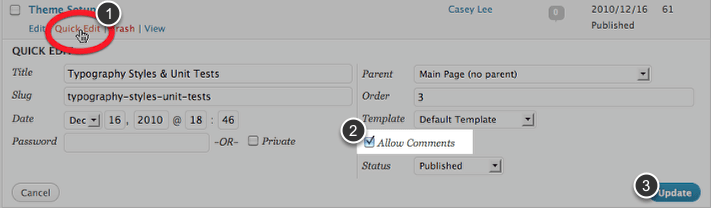
Steps
- In the WordPress dashboard, click Posts or Pages to see the full list.
- Hover over an item and click Quick Edit.
- Check or uncheck Allow Comments.
- Click Update to save.
Tip: to change many at once, check several items in the list, choose Edit from the Bulk actions menu, and set Comments to “Do not allow.”